v1.0.11.0 is here: six tools, one workspace.See what's new →

Offline AI Workstation · v1.0.1

Your AI workstation
No cloud required

Six AI modules running on your computer — chat, photos, documents, translation, speech, images — all fully on-device, with everything you make kept in one Library. Zero telemetry; your data never leaves the machine.

Your computerOn-device · where all the AI happens
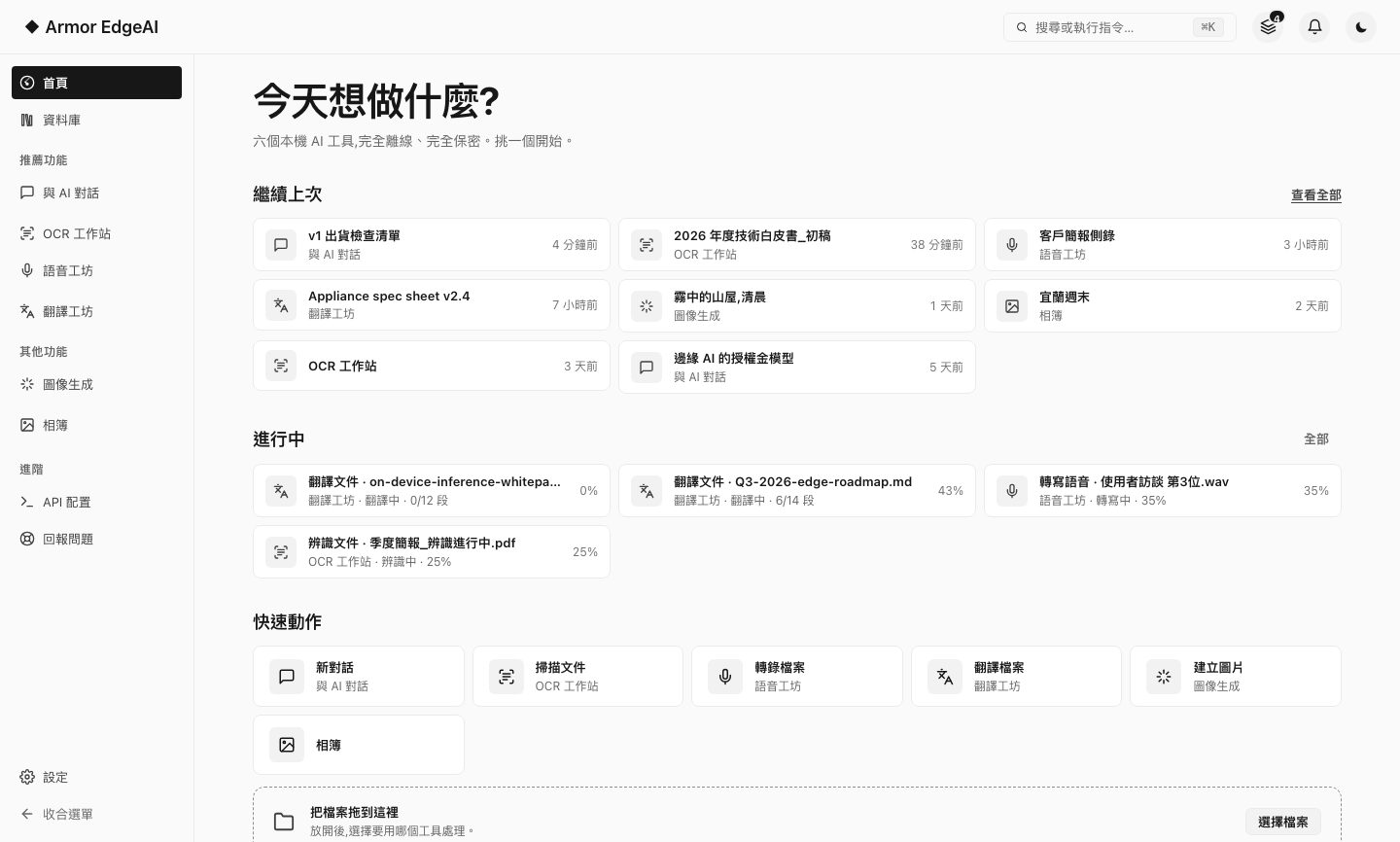
Armor EdgeAI — Home
Armor EdgeAI 1.0 home: pick up where you left off, work in progress and quick actions
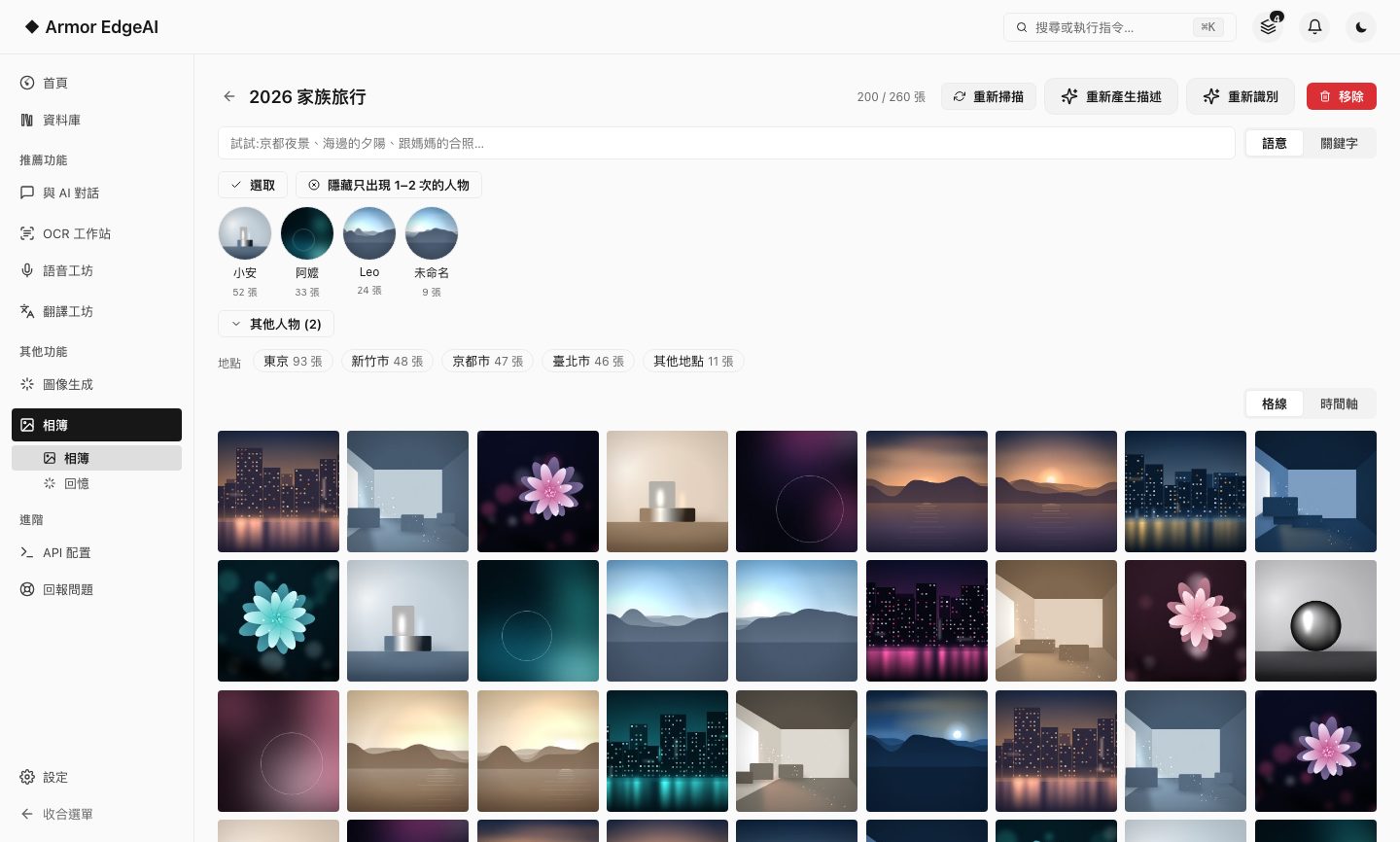
AI ChatSmart PhotosDocument RecognitionTranslation StudioSpeech StudioImage GenerationLocal models · GPU inference

Outbound connections · only these

Model & update downloadsOne-way · never contains your content
Activate your serialOnce · about a minute
Licence status checkPeriodic · only confirms this computer's licence
Optional component downloadsOnly when you click · never contains your content
Your chats, documents, photos, recordingsNever uploaded

0 TELEMETRY · 100% ON-DEVICE · NO SUBSCRIPTION

6Integrated modulesChat / Photos / Documents / Translation / Speech / Image
0Telemetry & uploadsNo usage statistics collected
128KContext ceilingDepends on selected model
~200 MBInstallerModels download on demand
100%On-device inferenceAI works without internet

01 — New in 1.0

Six tools, now one workspace

1.0 connects what you make across the tools: easy to find, easy to carry on, and yours to take with you.

  1. ALibrary and handoffTranscripts, recognized text, translations, images and chats are kept in one Library; any item can be sent to another tool to carry on.
  2. BMeetings, from recording to minutesLive transcription (Beta) shows captions as you record, speaker separation works out who is speaking, and the insight report turns it all into a summary and action items.
  3. CConnect your own toolsDevices on your local network use this computer's models with an API key; AI agents can call text recognition and speech transcription directly.
See everything new in 1.0 →
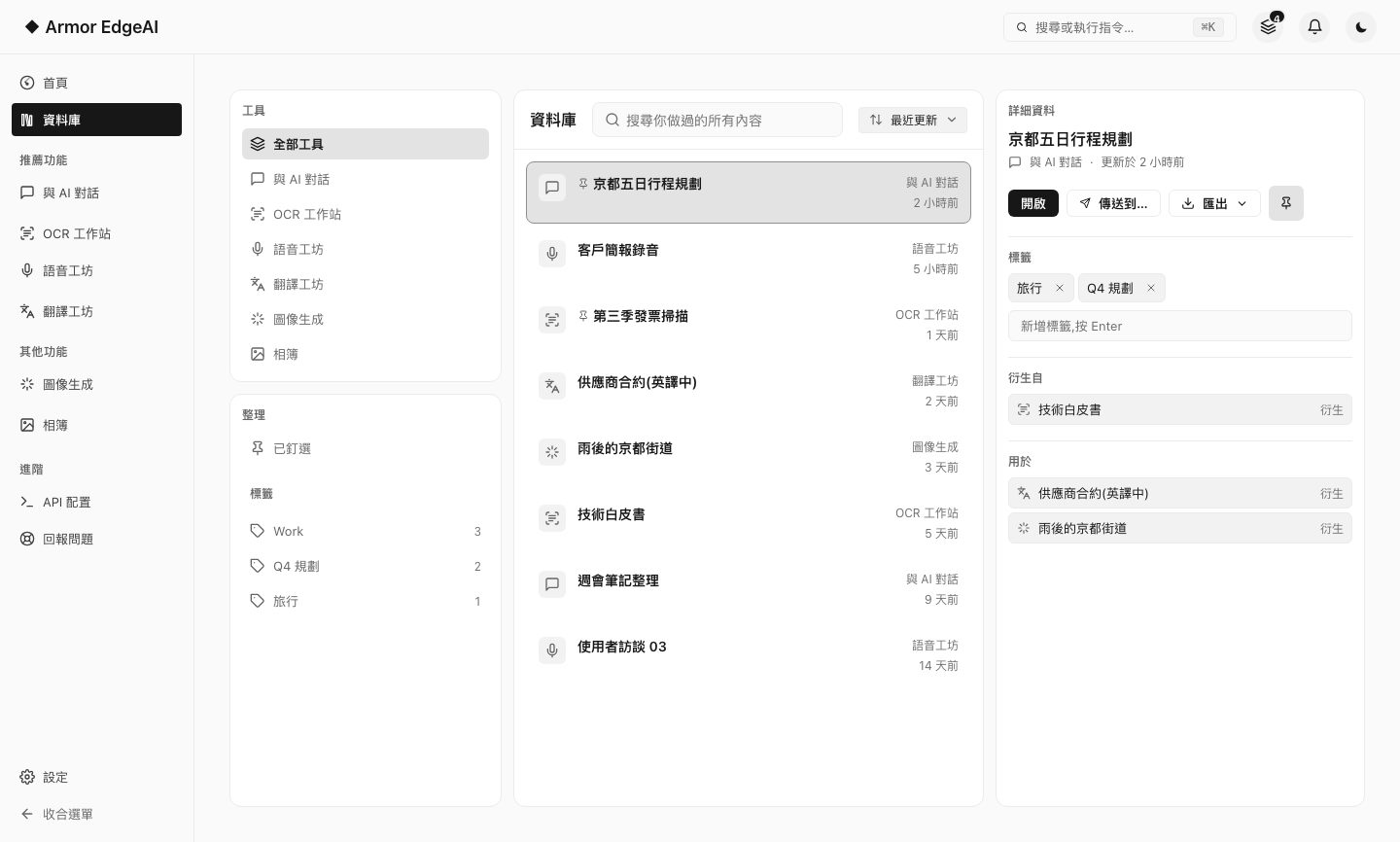
Armor EdgeAI — Library
The Armor EdgeAI 1.0 Library — everything made in every tool on one page

02 — The Workstation

Six modules, one machine

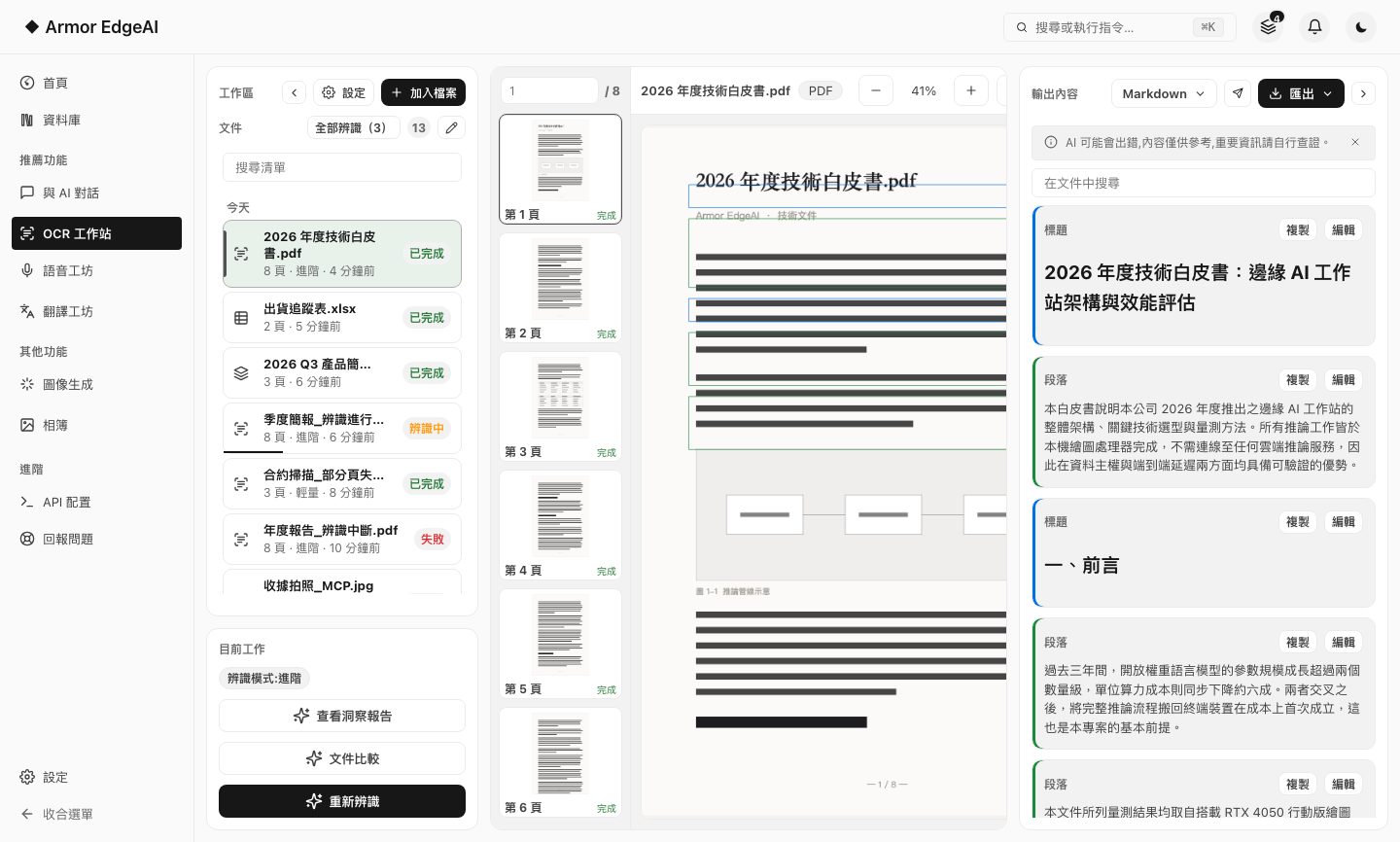
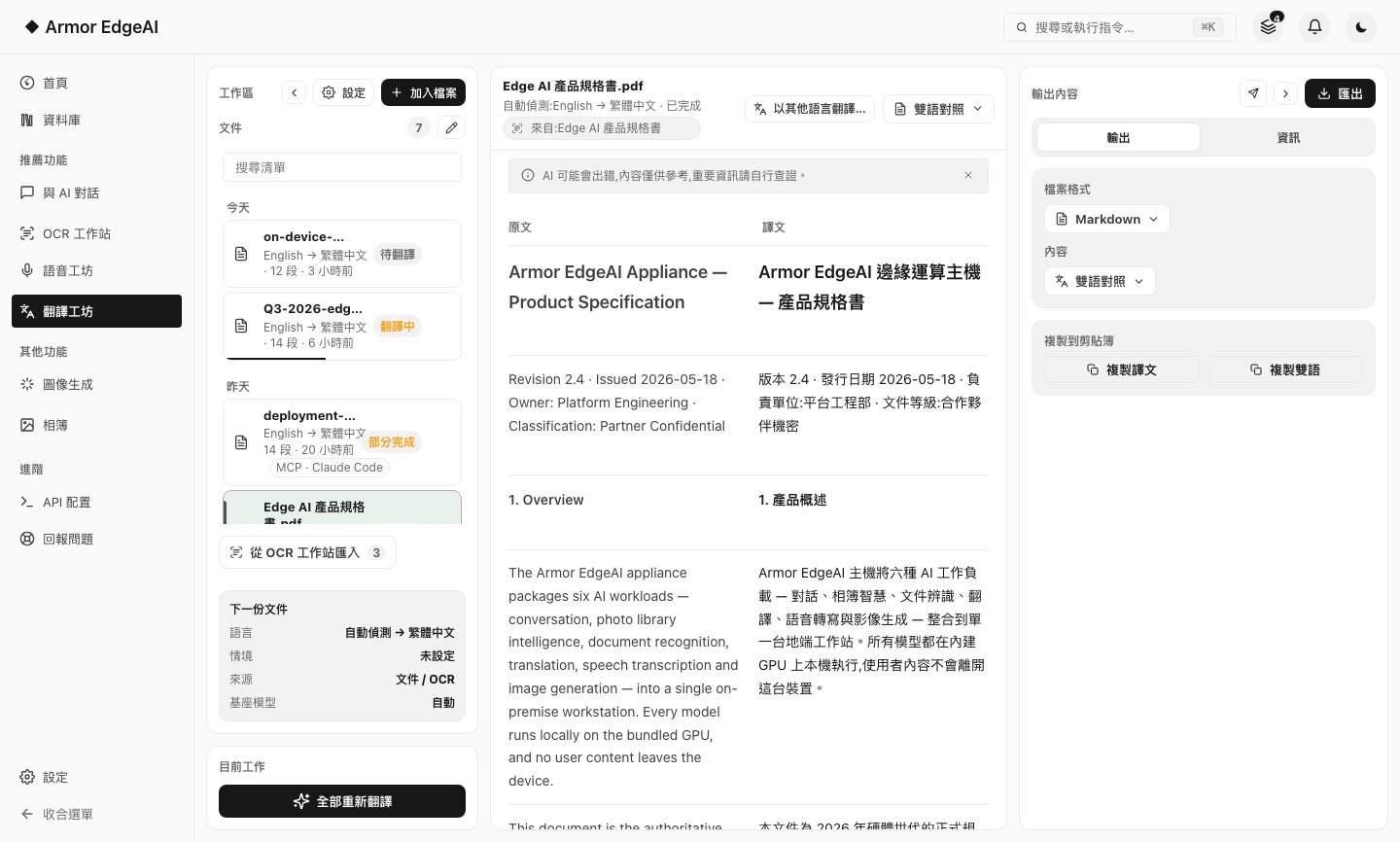
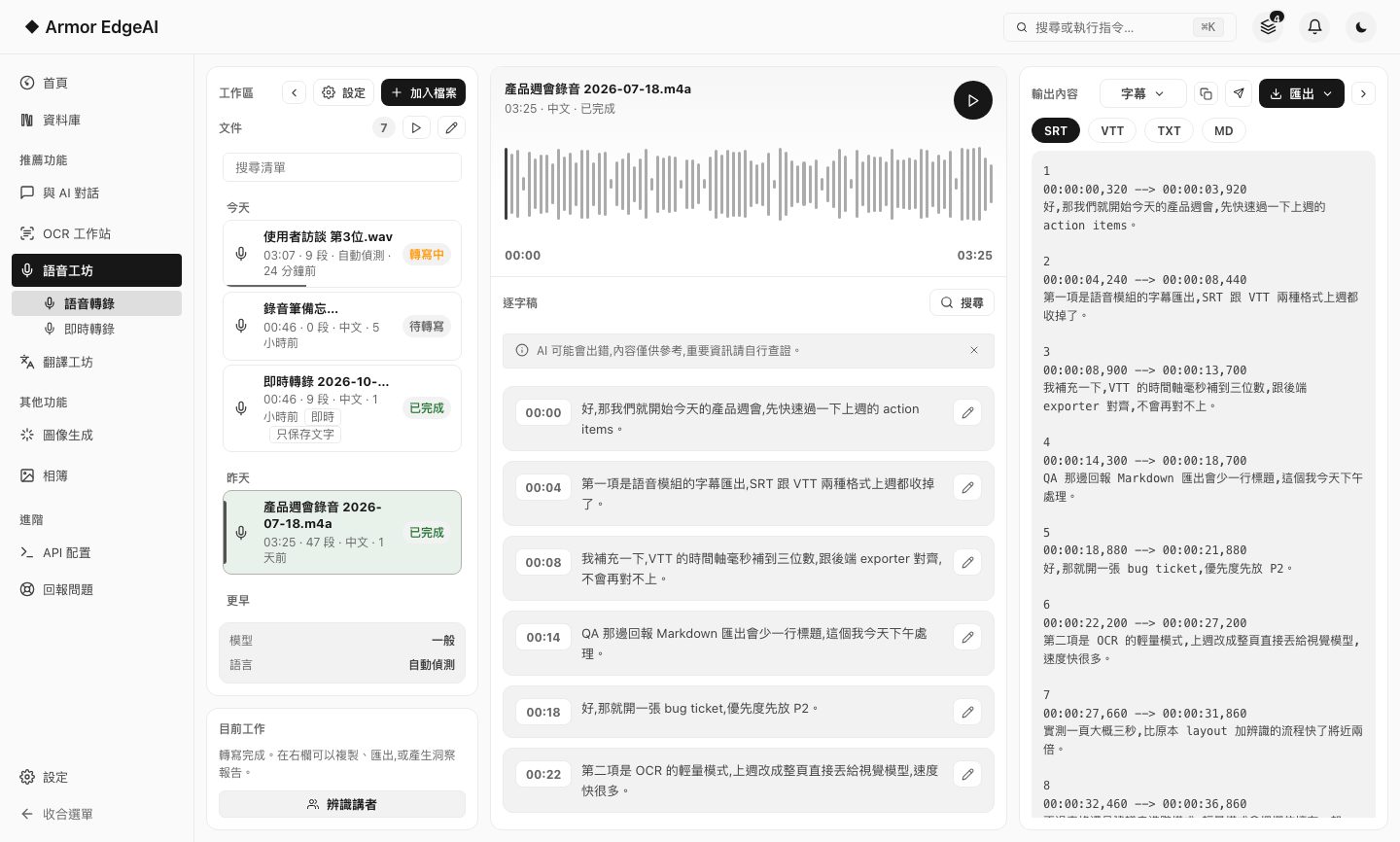
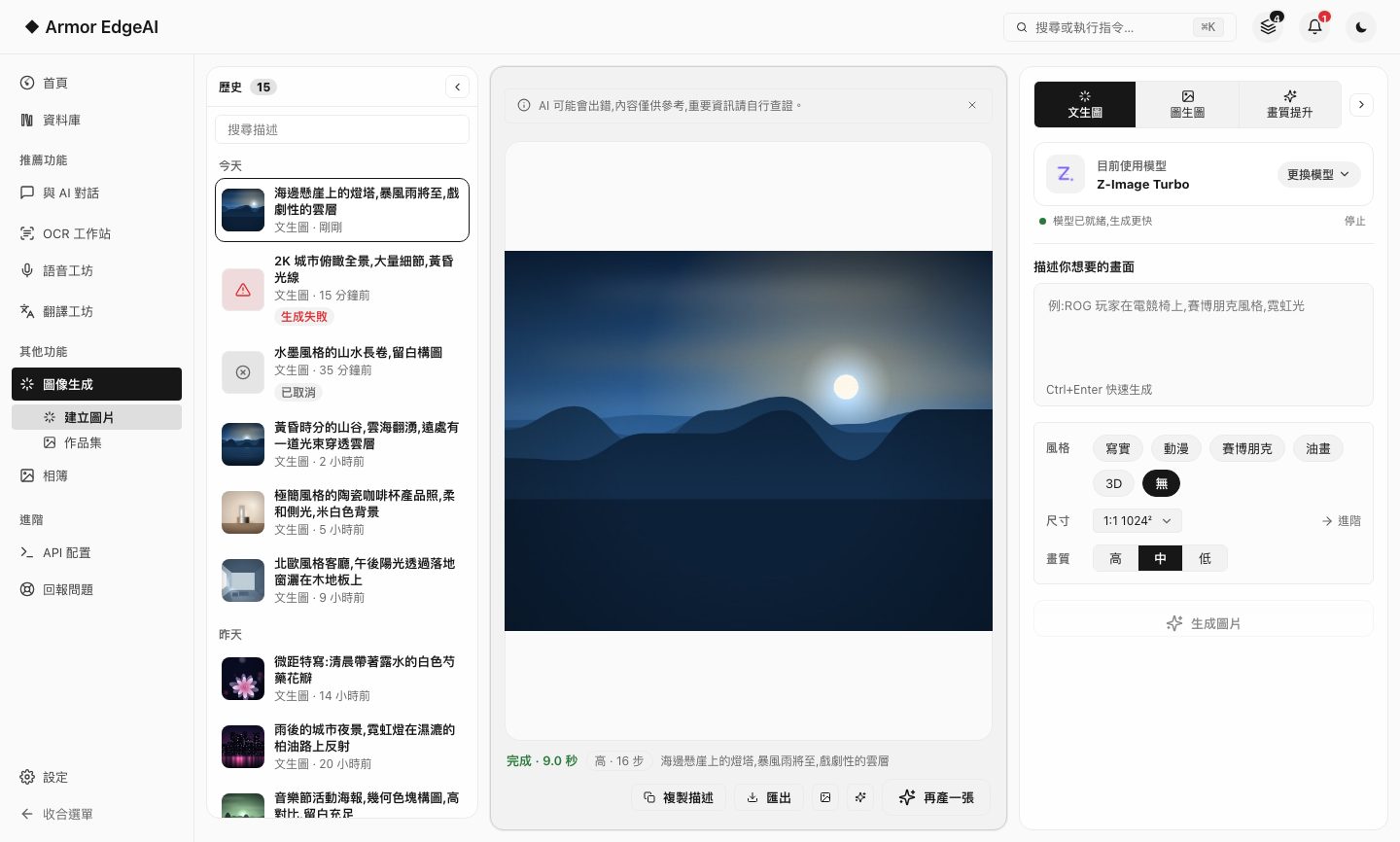
Chat, photos, document recognition, translation, speech and image generation — one interface, one model manager, one Library, one privacy baseline.

Meet all six modules →

03 — Live Feel

The AI lives in the machine in your hands

Streaming replies, thinking mode, multilingual translation — the panel here is a simulated demo; on a real machine, the GPU in your laptop does all of it, even offline.

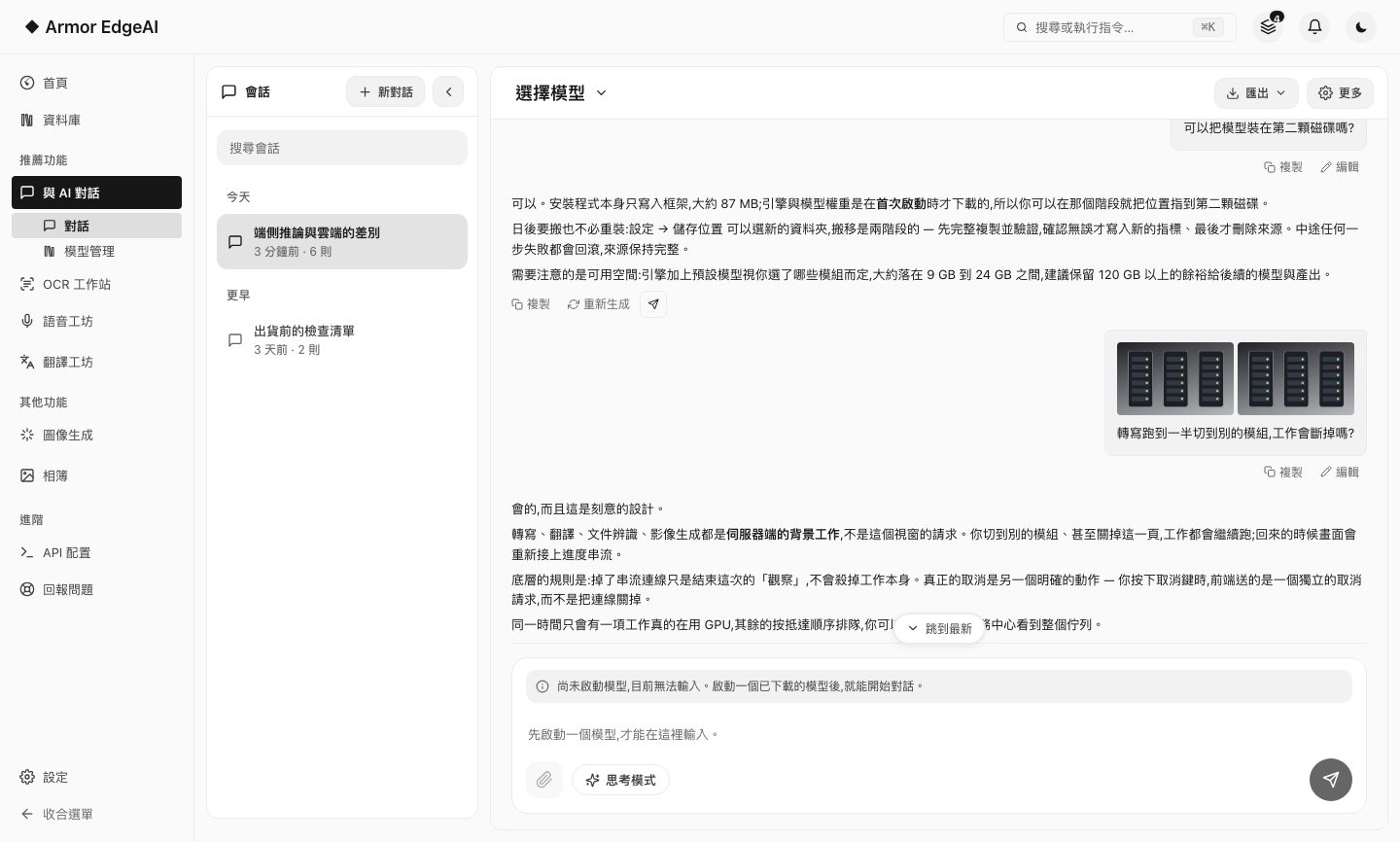
AI Chat — On-deviceSimulated demo

Why is running AI locally more private than sending it to the cloud?

Thought for 2 seconds

Because the data stays on this computer from start to finish — inference runs on your own graphics card, so chats, documents and photos never need to be uploaded, and there is no leak surface by design.

Local GPU inferenceWorks offlineChats never leave this computer

04 — Principles

Three things we don't do

Why offline matters →

No uploading your data

All AI processing happens on-device — nothing is uploaded, so there is nothing to leak.

No usage statistics

Zero telemetry, no heartbeats, no trackers — in the app and on this website alike.

No monthly fees

Inference runs on your own GPU at near-zero marginal cost — no subscription, no account.

For Developers

Your GPU, for any tool

The Chat module ships OpenAI- and Anthropic-compatible APIs, lending your local compute to coding agents, editor plugins and automation scripts.

Developer? See the API →
# Enter in any tool that supports a custom endpoint
Base URL  http://127.0.0.1:2918/v1
Model     As shown on the app's API page
API Key   Same computer: any string

05 — Get Started

Already have your machine

Four steps from download to your first generation — most of the time is just waiting for models to download.

  1. STEP 01Download and installA roughly 200 MB installer; launch it and the app verifies your machine automatically.
  2. STEP 02Accept the termsA license agreement and privacy policy in plain language — the point is that your data stays on your computer.
  3. STEP 03Activate your serialEnter the serial sent to your email to bind it to this machine; it takes one connection and about a minute.
  4. STEP 04Download modelsPick models for the modules you want, with suggestions based on your hardware; after that it works fully offline.
Start setup