Module 01 / 06
AI Chat
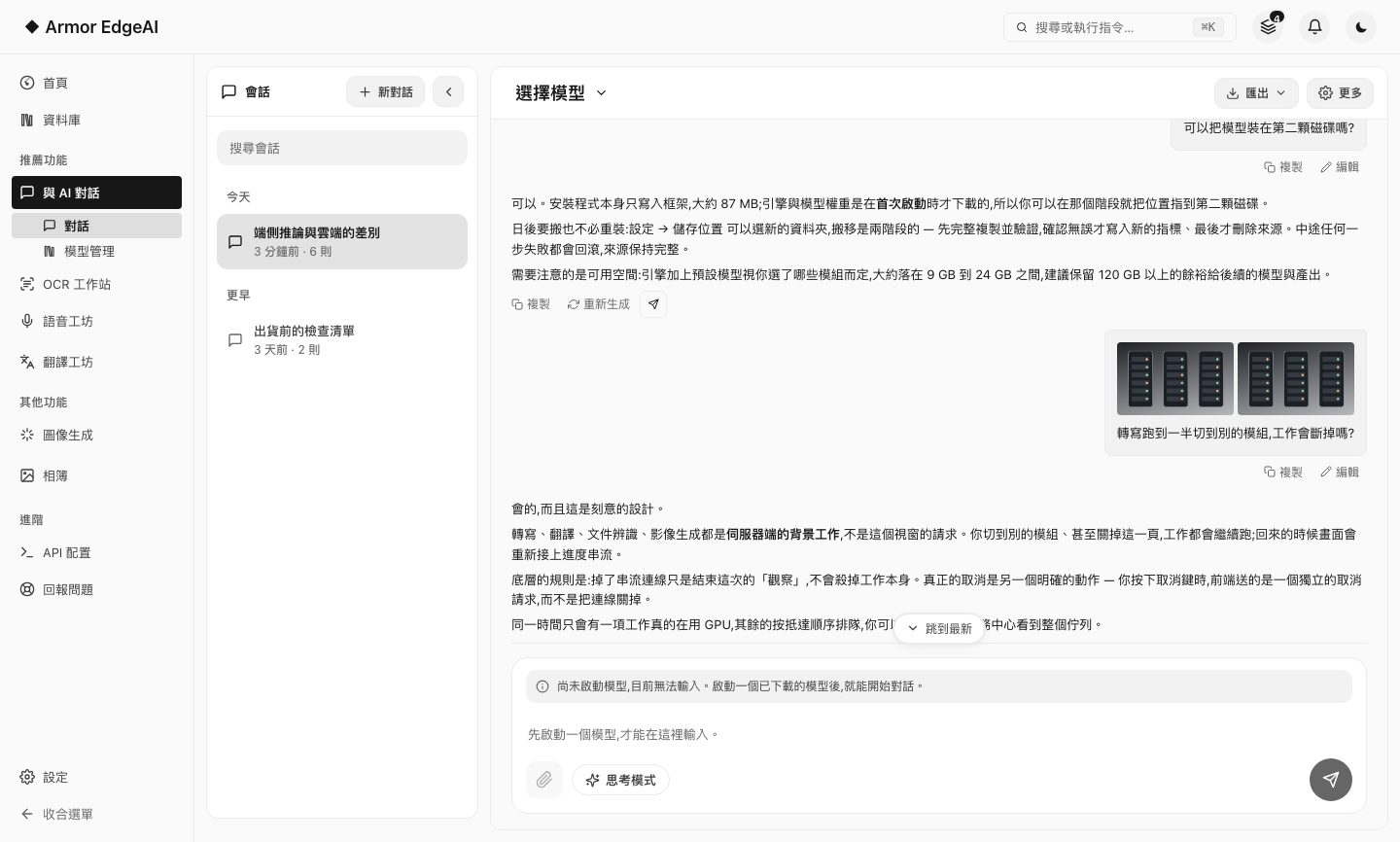
The model runs on this machine. Ask it questions, show it an image, hand it a document to read — the conversation never leaves your computer.
FEATURE 01
Chatting with the model
Launch one of the models you've downloaded and start talking to it like any AI assistant — except this time inference happens on your own graphics card.
- Token-by-token streamingThe response appears as it is generated, instead of landing all at once when the whole answer is finished.
- Thinking modeTurn it on when you need deeper reasoning (off by default); once the answer is done, the reasoning is tucked into an expandable block.
- Long contextContext length depends on the model you choose, up to 128K; when a chat gets too long, it marks which messages were left out and brings back earlier parts relevant to your question.
- Chats that stayDeleted chats can be restored for 30 days; chats export as Markdown or plain text, and search finds words inside messages.
FEATURE 02
Image understanding
Drag an image into the conversation, or pick a file from your computer with the attach button, and an on-device vision model reads what's in it.
- Just drop it inThe whole chat surface is a drop zone; there's no upload box to find first.
- Needs a vision modelAll three base chat models offered during first-run setup have vision capability; if you're on a text-only model, the app asks whether to switch first.
- Several at a timeUp to 20 MB per image, and up to 5 images per message; images are kept on this computer, so you still see them when you reopen the chat.

FEATURE 03
Document answers
Attach a PDF, Word, PowerPoint or Excel file, plain text or a CSV table and ask about it directly; the answer cites the passages it used, and you can open one to read the original.
- If it fits, it reads all of itWhen the document fits in the context window, the whole thing goes to the model and the status reads "Reading the document".
- If it doesn't, it retrievesLonger documents switch to retrieving the relevant passages for each turn, with the status "Retrieving relevant passages" — a document is never too long to get an answer.
- Honest refusalsA PDF with no text layer, such as a scan, is called out plainly, with a pointer to run it through the Document Recognition workstation first.
When inference completes on-device, end-to-end latency is determined by the compute capability of the device itself. There is no network round-trip, and no queueing at peak hours.
This is the extracted text, not the original file's layout.FEATURE 04
API
While the app is running, the chat module doubles as a local inference service; any tool that supports a custom endpoint can connect to it directly.
- Two compatible endpointsBoth OpenAI-compatible and Anthropic-compatible endpoints are provided, so tools written for either API mostly work as-is.
- Localhost onlyThe service listens on 127.0.0.1 by default; letting other computers on your network use it is something you turn on yourself, and they also need an API key you create.
- No quotasNo token billing, no rate tiers — the ceiling is your hardware.
Next
Got the machine? Four steps to start
Install, agree, activate, download models — most of the time is just the download.