Module 02 / 06
Smart Photos
Hand a whole photo folder to an on-device vision model: automatic descriptions and tags, photos found with a sentence or a keyword, people organized, browsing by place and time, memories laid out automatically — photos are never uploaded.
FEATURE 01
Photo management
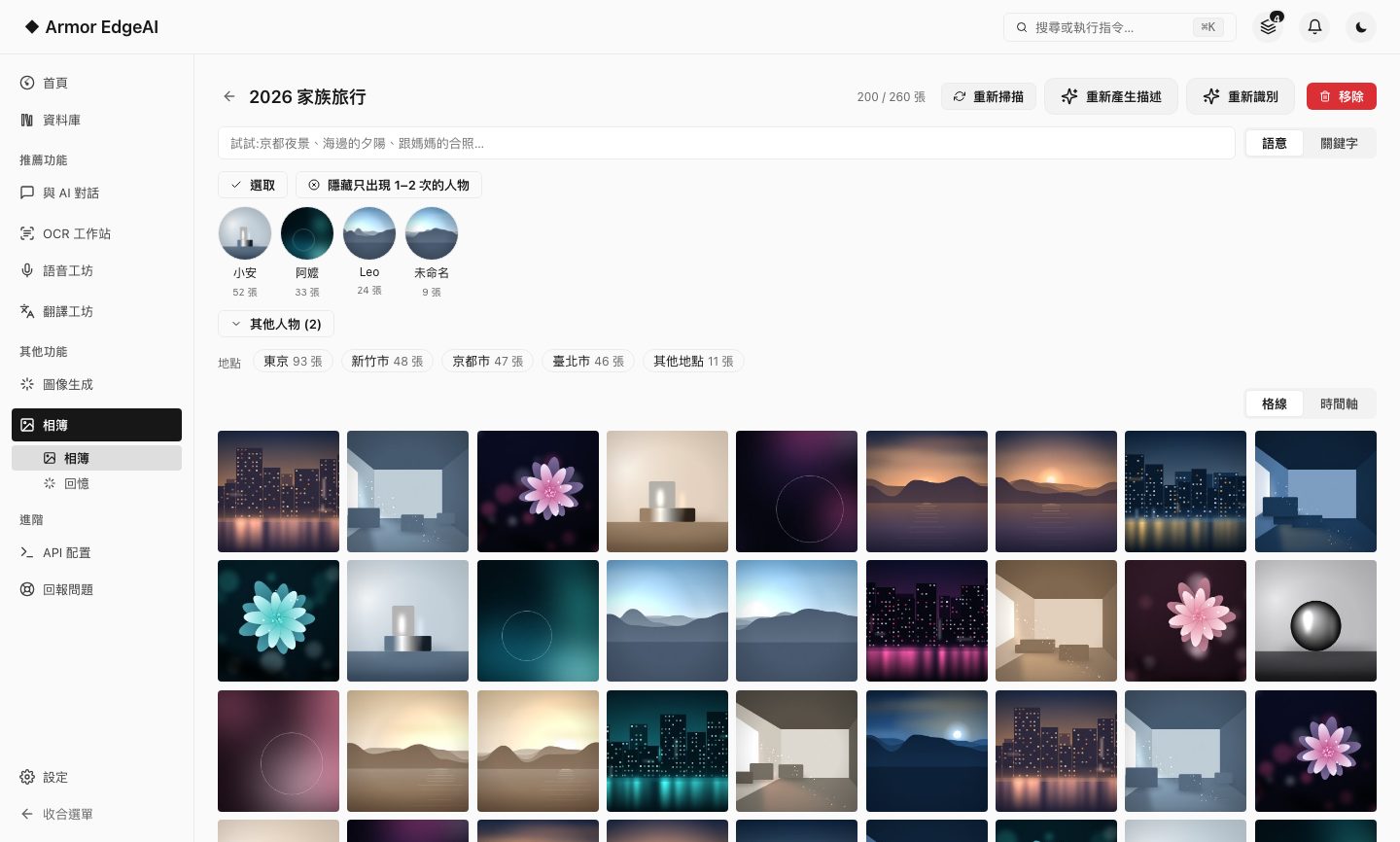
Pick a folder to load as an album; once imported, analysis starts on its own — a description and tags for every photo, and photos of the same person grouped together.
- Takes over on its ownDescription and face grouping start right after import; there's no second button to press.
- Photo detailsEvery photo shows its AI description, tags, the people in it and the full capture information.
- Index onlyRemoving an album removes only the index; the original files are untouched.
- Organize peopleName, merge, split or hide people; every action can be undone.
- Places and timelineBrowse the same album grouped by where photos were taken, or month by month; places are worked out entirely on this computer.

FEATURE 02
Semantic and keyword search
Describe the scene you're after in a sentence, or just type a keyword; both modes match the description and tags the AI wrote for each photo.
- Two modesSemantic goes by meaning, keyword goes by the literal words — switch between them in the same search bar.
- Scoped to the albumSearch covers the album you currently have open.
- Semantic needs to be enabled onceSemantic search has to be enabled once in Settings; until then, search falls back to keyword matching and says so plainly in the search bar.
FEATURE 03
Memories
Time spans worth revisiting are picked out automatically and laid out as a deck of vertical memory cards you can browse one by one, or save as images.
- Grouped automaticallyThis week's picks, this month's highlights, the year in review, on this day last year.
- Static cardsA memory is an image card you can save, not a video, and it needs no media tooling.
- There is a thresholdA memory card is only created when the same span holds at least three photos with a capture time.

Memory cards are images you can save, not videos.
Next
Got the machine? Four steps to start
Install, agree, activate, download models — most of the time is just the download.