Module 03 / 06
Document Recognition
Scans, PDFs, presentations and spreadsheets get layout analysis and text recognition on-device; the result can then become a report, or be lined up segment by segment against another version.
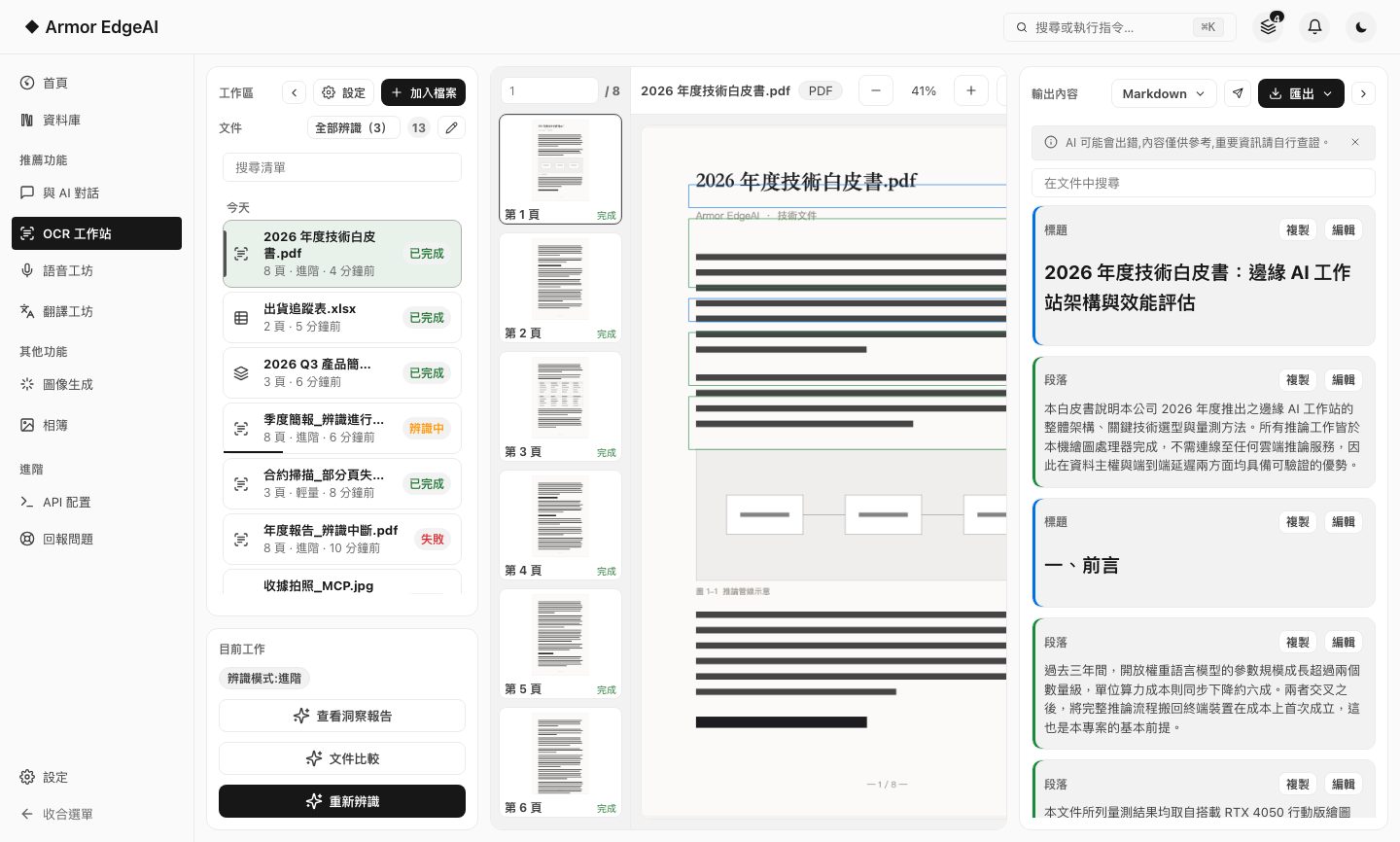
FEATURE 01
OCR analysis
Two modes: advanced does full layout analysis with high-accuracy recognition; light hands the whole page to a vision model for fast plain text.
- Advanced: structure preservedHeadings, paragraphs, tables and formulas each become their own block, and the output can be reviewed and edited block by block — suited to reports and contracts.
- Light: fast textThe whole page goes straight to plain text, which suits screenshots and receipts; no layout analysis, and no OCR-specific model to download.
- Several export formatsMarkdown, Word, HTML, JSON, plain text, CSV.
- More than scansPowerPoint and Excel files are read directly; recognize every document in the list at once, or have recognition start as soon as you upload.
FEATURE 02
Insight reports
A recognized document can be worked up into a report with several angles on it — not just a paragraph of summary.
- A dozen or so sectionsKey summary, keywords, chapter outline, action items, notable excerpts, mind map, glossary, open questions, and more.
- Jump back to the sourceChapters and excerpts are clickable and take you straight to the matching page in the document.
- Ask and exportQuestion the report in the drawer on the right, or export it as HTML or Markdown.
FEATURE 03
Document compare
Take two recognized documents: the pages are aligned by algorithm first, then the changes are worked out segment by segment.
- Align first, compare secondPage correspondence is decided by an algorithm; only the pages judged to have changed go to the language model for segment-level analysis.
- Three viewsVersion one only, side by side, or version two only — plus a toggle for showing just the segments that differ.
- Honest flagsPages that couldn't be matched confidently are marked "low pairing confidence, please verify manually" — no pretending it's 100% right.
Next
Got the machine? Four steps to start
Install, agree, activate, download models — most of the time is just the download.