Module 05 / 06
Speech Studio
Drop in meeting recordings, interviews or video and get a timestamped transcript on-device, with speakers told apart; you can also see captions as you record, and one more click turns it into a report you can actually read.
FEATURE 01
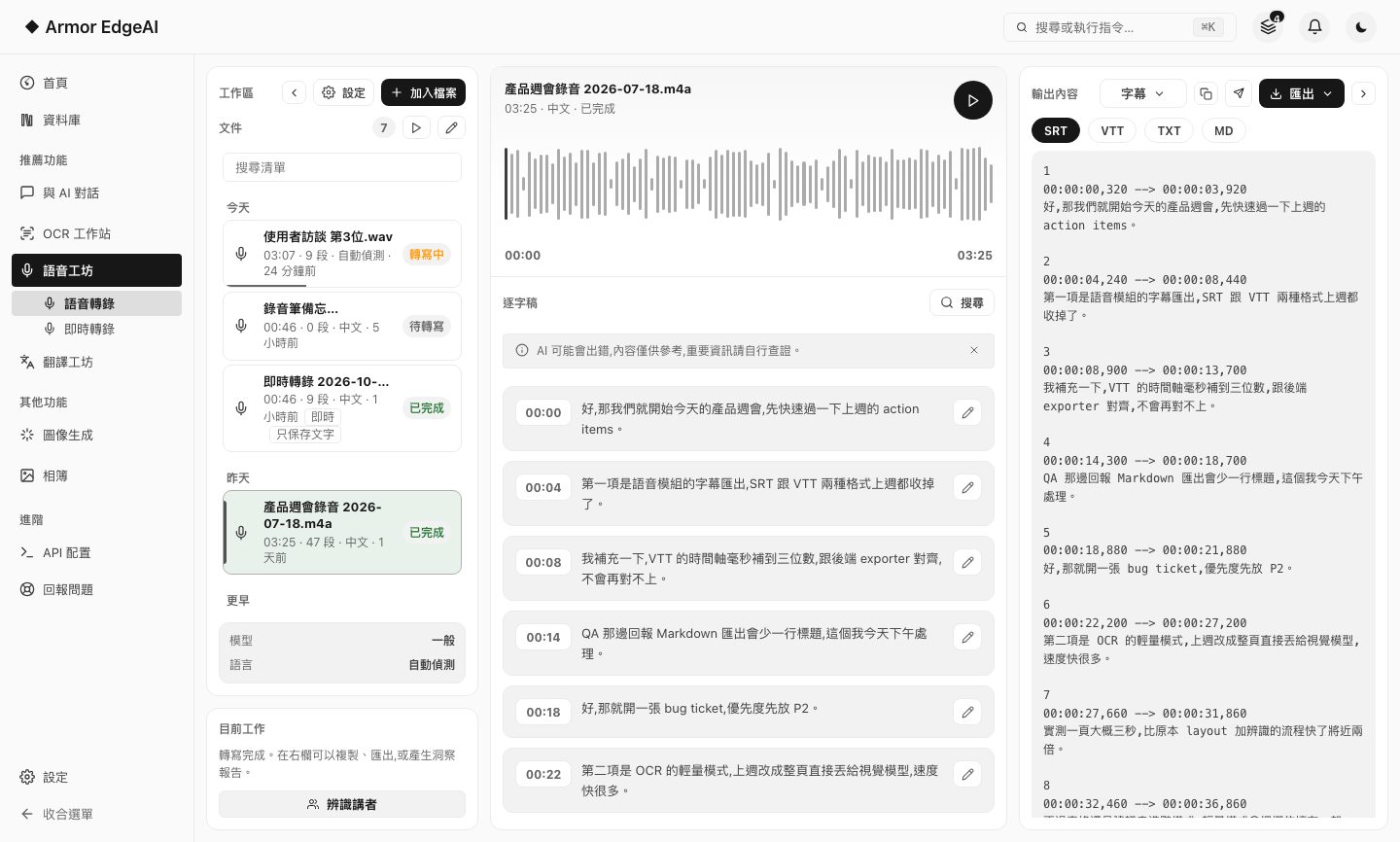
Speech to text
Upload audio or video and the on-device engine produces a timestamped transcript; the text lights up as playback moves.
- Follows alongWhichever line the playhead is on is highlighted; click a line to jump to that moment.
- Subtitle exportExport SRT and VTT subtitles, or plain text and Markdown.
- Three modelsLight on resources, standard, or highest quality — switch based on your machine and what you need.
- Speaker separationTranscription can work out who is speaking automatically, and you can rename or merge speakers; first use needs a separate component download.
FEATURE 01+BETA
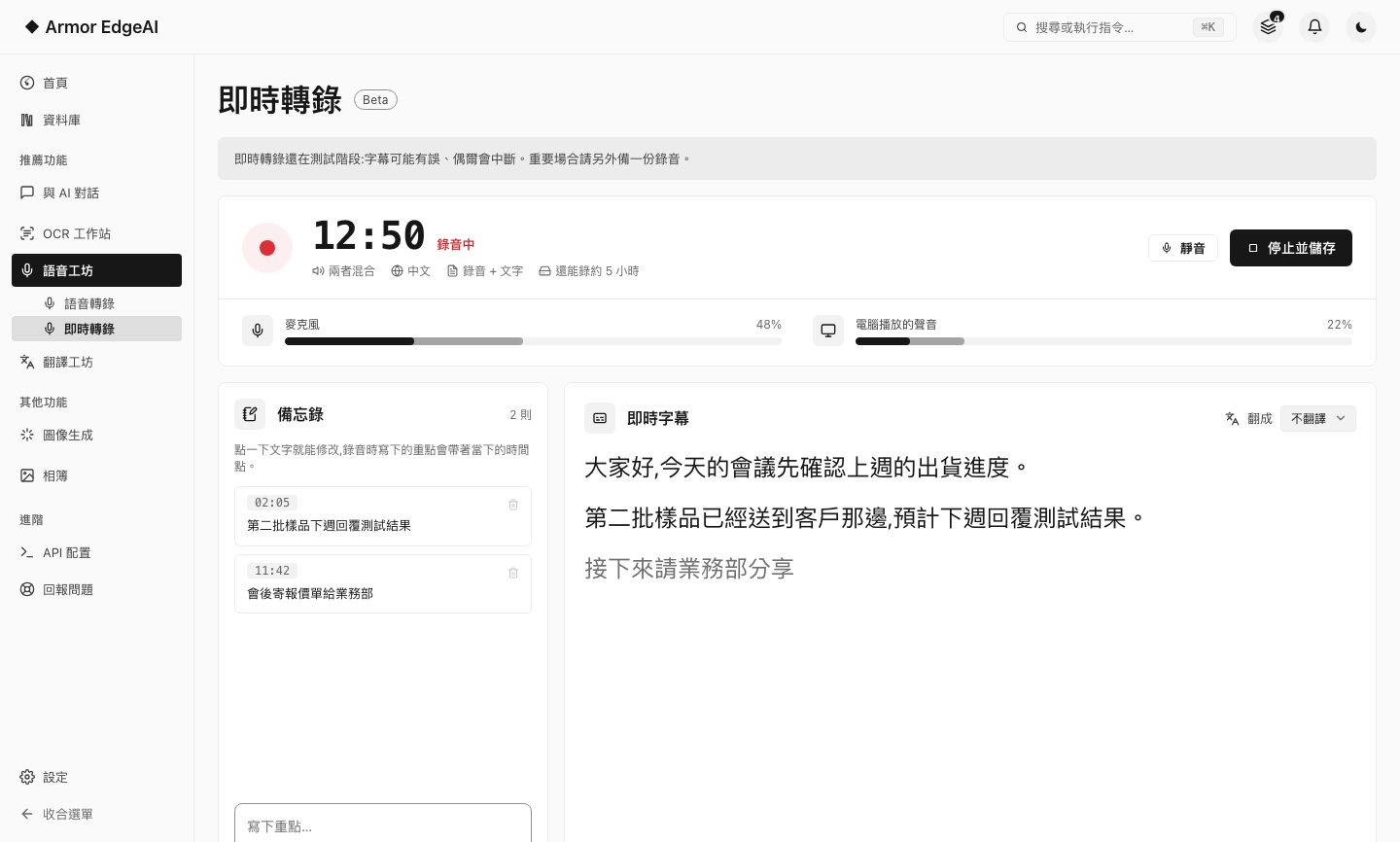
Live transcription (Beta)
No waiting for the recording to end: see captions as you record, write notes along the way, and get a full transcript when you stop. Before every session you are asked to confirm that everyone taking part has agreed.
Live captions favor speed, so they may contain mistakes or stop now and then; the transcript made after you stop is more accurate. For anything important, keep a separate recording.
FEATURE 02
Insight reports
The transcript goes to a local language model for post-processing, which organizes it into a summary, chapter outline, action items, quotes and a mind map.
- Grows as it goesThe report doesn't wait for everything to finish; each section appears as it lands, with a skeleton held for the rest.
- Organized by contentIt first works out whether this is a meeting, an interview or a lecture, then organizes it into sections that fit; for recordings with speakers identified, action items show who owns them.
- Ask follow-upsThe drawer on the right takes questions about this transcript, and answers trace back to the passages they cite; "Ask about this" on a section asks about just that part.
- Export itThe whole report exports as HTML or Markdown.
Next
Got the machine? Four steps to start
Install, agree, activate, download models — most of the time is just the download.