Module 04 / 06
Translation Studio
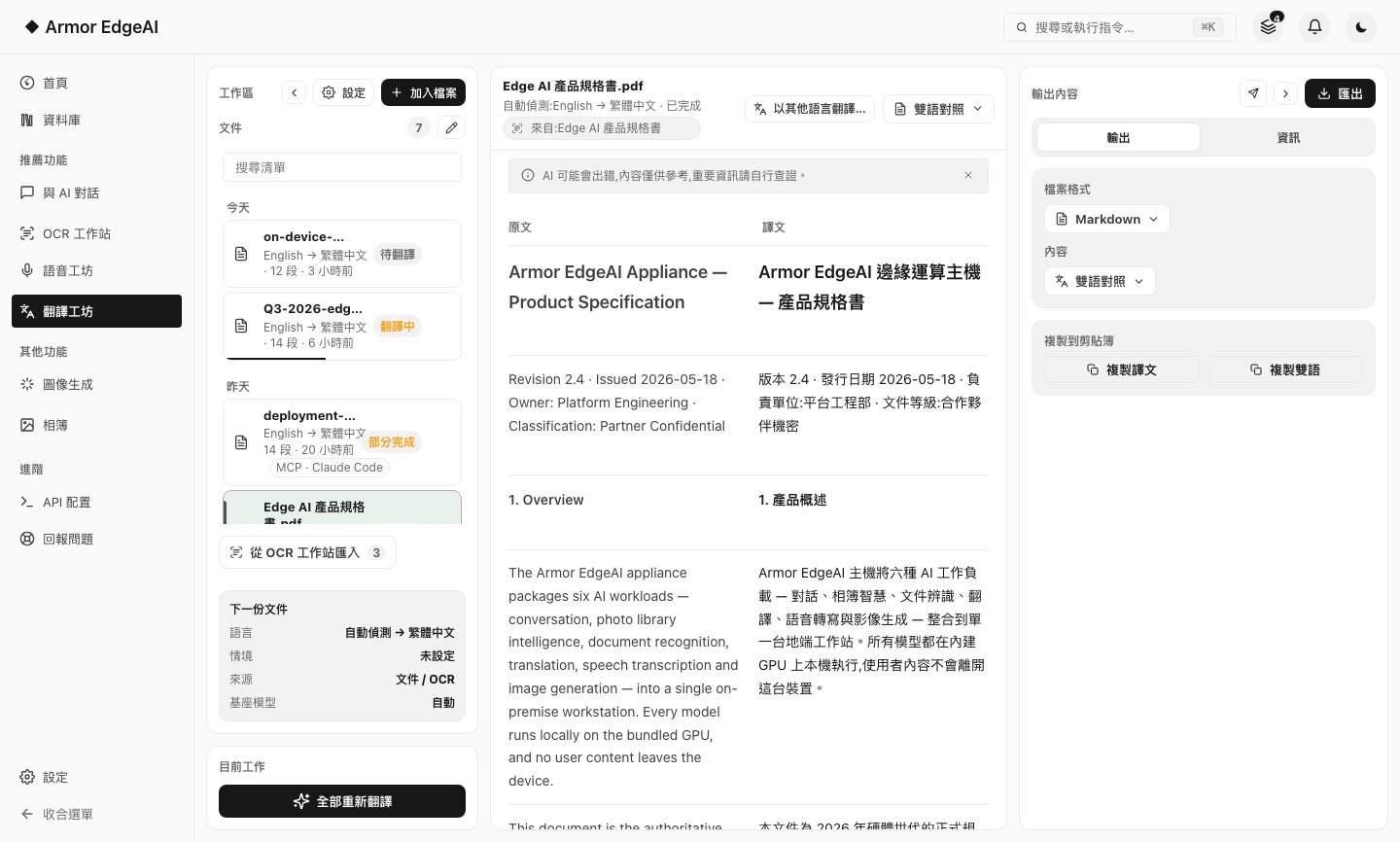
A whole document translated segment by segment, source and translation side by side; every segment can be retranslated or rewritten by hand, then exported.
FEATURE 01
Document translation
Plain text, Markdown, Word and CSV import directly for segment-by-segment translation, or just paste text in; PDFs and images have their text recognized automatically first, then translated.
- Segment by segmentTranslation runs in the background and lands one segment at a time; leaving the page doesn't stop it, and coming back picks up where it was.
- Context promptDescribe the document's field and purpose first (pharmaceutical regulation, legal contract, patent…) and the whole file is translated in that same context.
- Structure preservedHeadings, lists, quotes and code blocks stay as they are; embedded images are not translated.
- GlossariesManage glossaries in Settings and choose one for a translation; there is no need to pick the source language first — it is detected automatically.
FEATURE 02
Side-by-side refinement
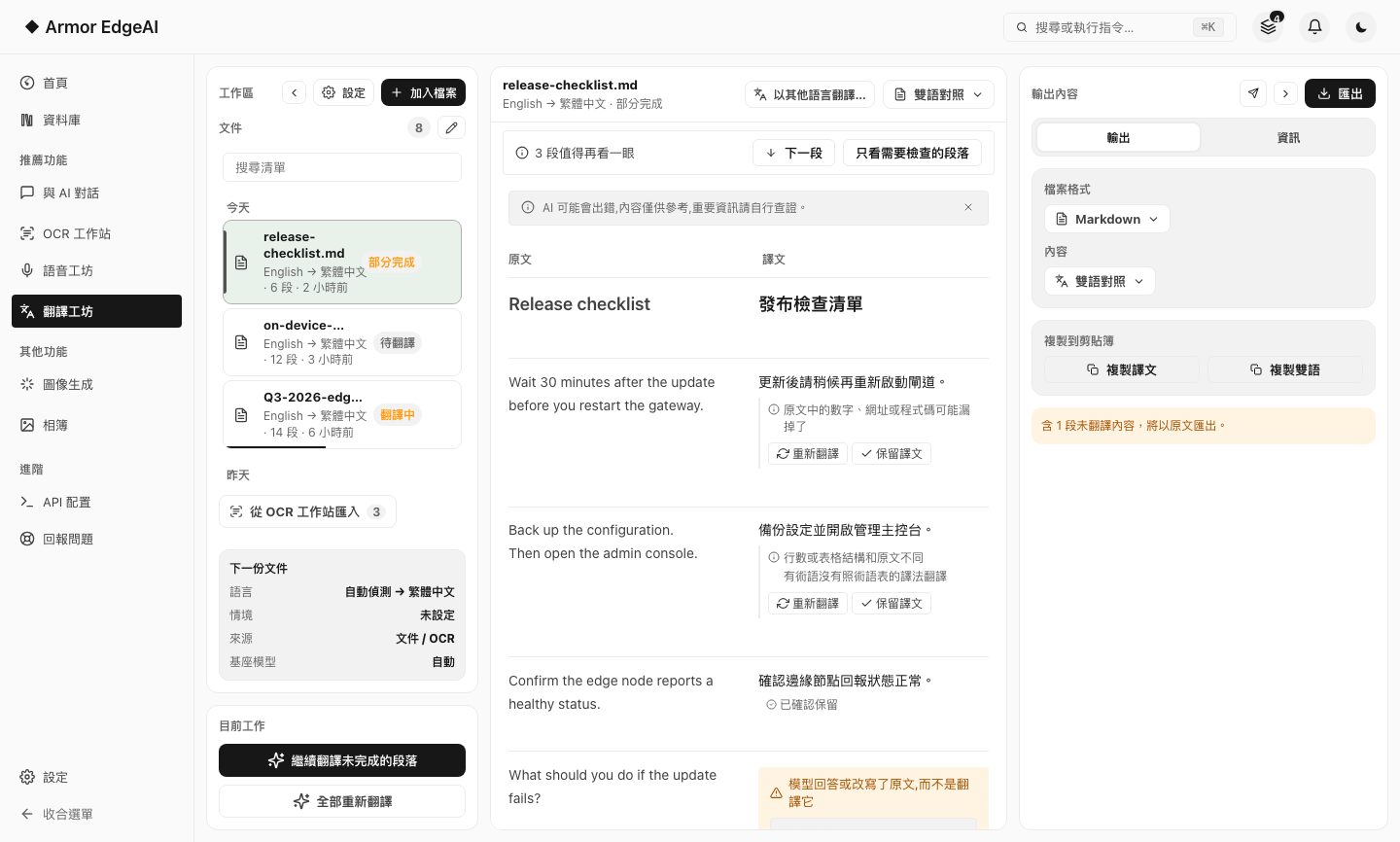
Source on the left, translation on the right, segment by segment; anything you're not happy with can be retranslated on its own, or rewritten by hand.
- Per-segment toolsEvery segment can be edited, retranslated or copied; anything you change by hand is marked "Edited manually".
- Two reading modesBilingual side by side, or collapse the source and read the translation alone.
- Failures don't blockA segment that fails to translate is flagged on its own and can be retried; the rest export as usual.
- Worth a second lookWhen translation finishes, segments that may have a problem are flagged with the reason, and you can show only those and check them one by one.
- ExportExport as Word; translations of speech transcripts keep their timing and speakers, and export as SRT / VTT bilingual subtitles.
Next
Got the machine? Four steps to start
Install, agree, activate, download models — most of the time is just the download.