What this case is about
Armor EdgeAI drives the GPU of a licensed machine directly, turning local hardware into inference capacity for open-weight language models. Through the built-in OpenAI-compatible API, an AI agent such as OpenCode can run long, multi-step tasks: organising folders and files, drafting documents, analysing data, even writing software.
What follows is the full run on a ROG Zephyrus G16, from setup to finished file — including what worked well and what did not.
Step 01
First, check the model inside the app
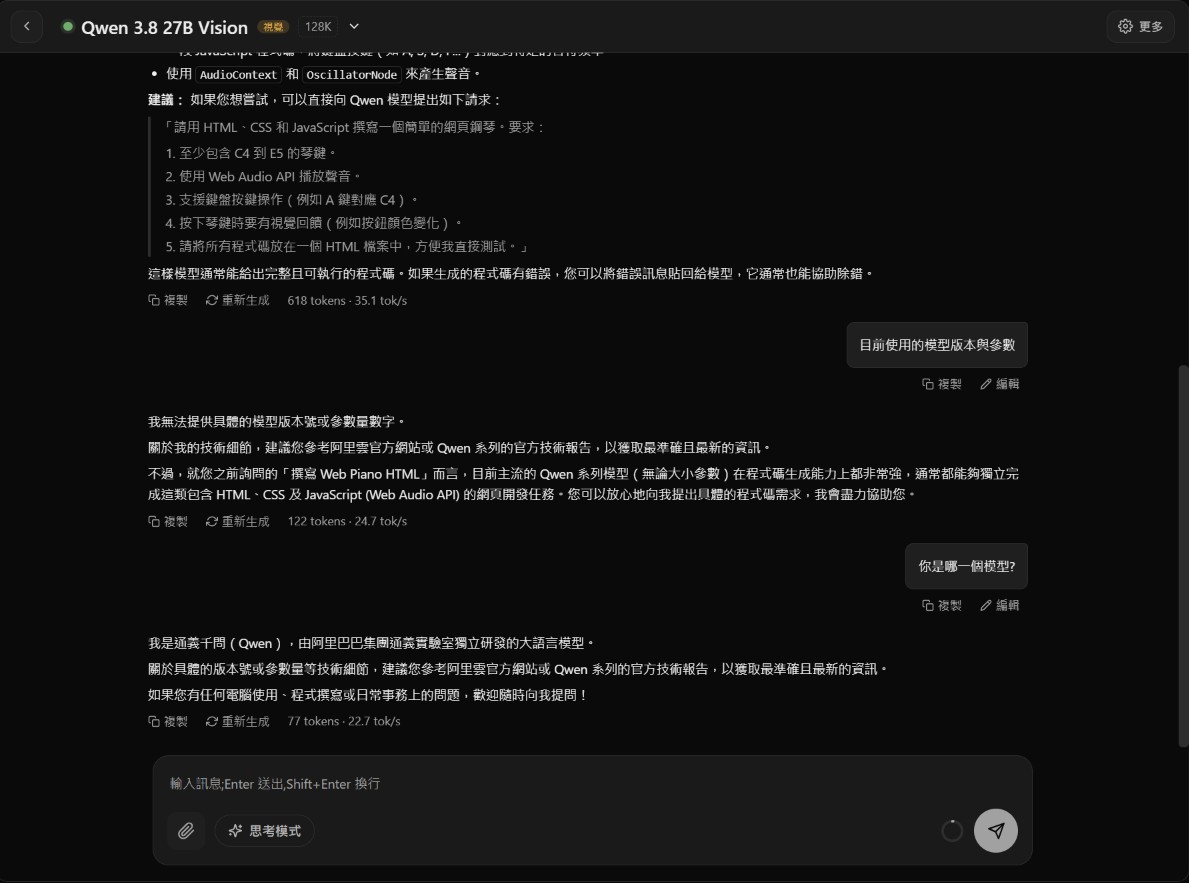
Launch Armor EdgeAI, pick Qwen 3.8 27B Vision in AI Chat, and ask: can you write a web piano in HTML? The answer was solid — yes, it can — and it even volunteered a suggested prompt.
One honest observation: asked about its own version and parameter count, the model could not say — only that it is Qwen. That is a limit of the model's self-knowledge and had no bearing on the task.
Step 02
Get the API connection details
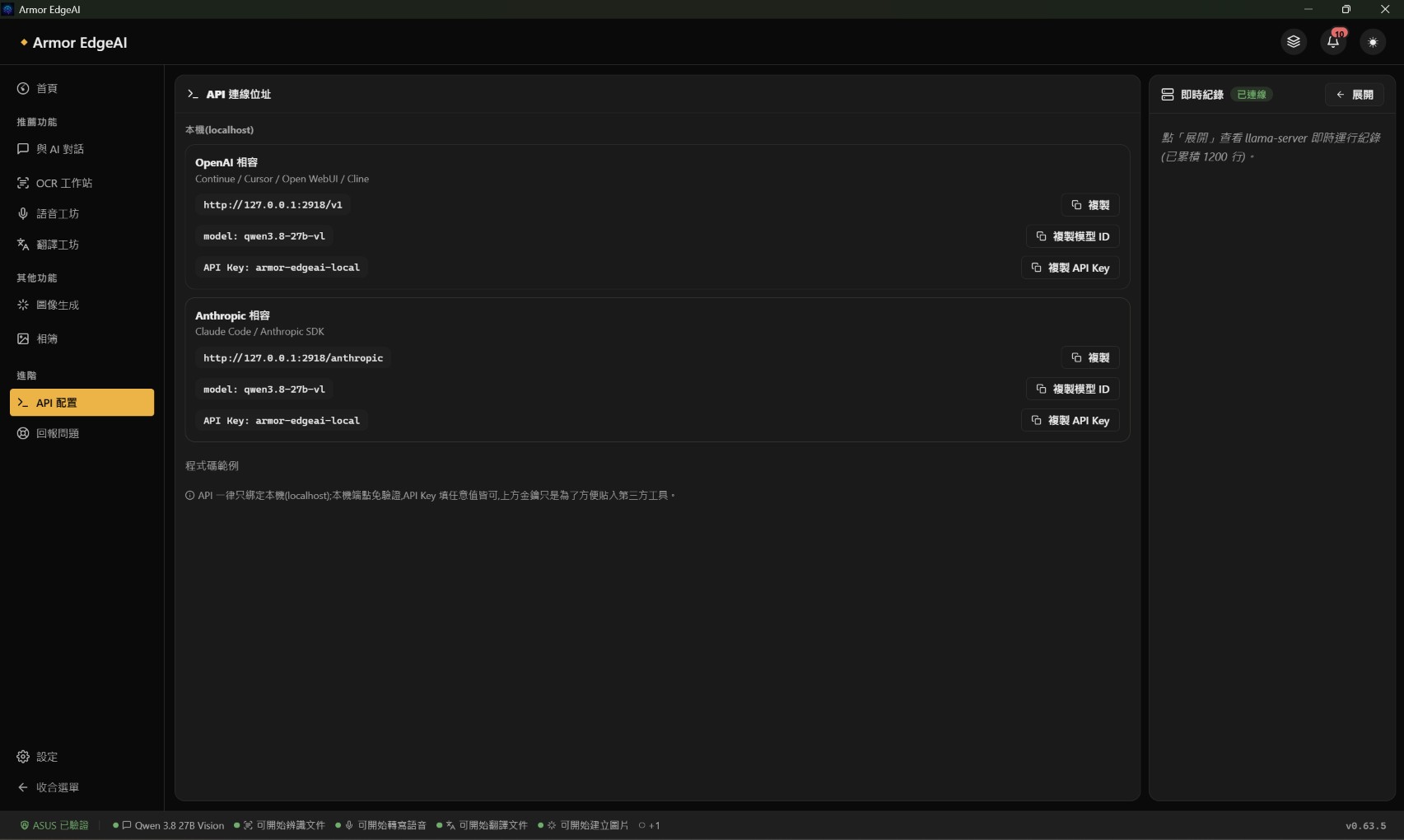
Keep the chat model loaded and open Advanced → API Configuration in the sidebar. If OpenCode runs on the same machine as Armor EdgeAI, these three values are all it takes.
To let other devices on the local network use this machine, enable LAN access under Settings → AI Chat; the app asks for a restart afterwards. From 1.0 on, other devices on the network also need an API key created on the API Configuration page.
- Base URL
- http://127.0.0.1:2918/v1
- Model
- qwen3.8-27b-vl
- API Key
- armor-edgeai-local
Step 03
Add a custom provider in OpenCode
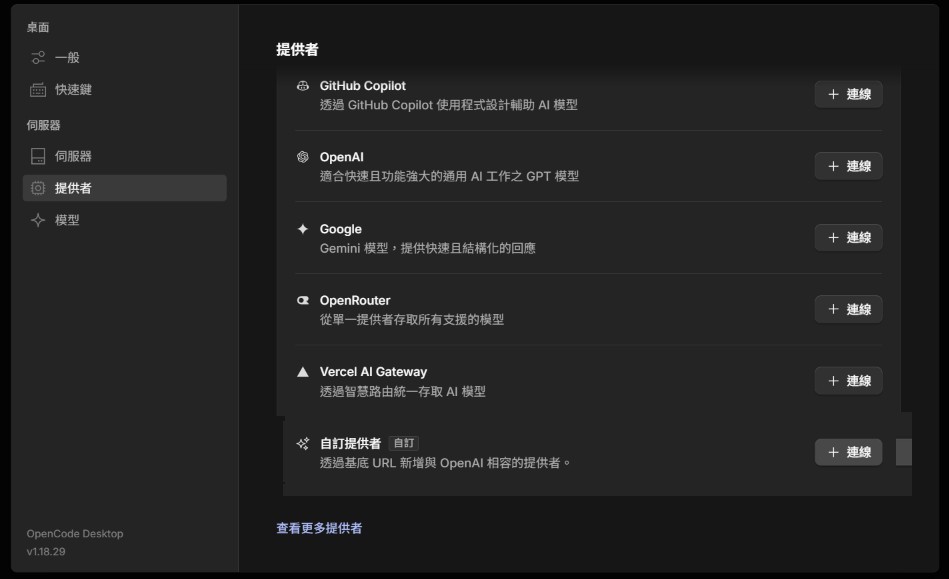
In OpenCode, go to File → Settings → Providers and choose Custom provider. Fill in the values from the API page one by one and submit — that is the whole setup.
Step 04
New workspace: Plan first, then Build
Start a new session. The controls on screen each have one job (see the notes below). From experience: let the agent plan first, confirm the direction, then switch to Build — it saves the time and compute that rework burns.
Then send this prompt describing what to build:
Design a simple band app as Armor-piano.html. Put a piano in the centre with four full octaves of white keys rising in pitch, plus the matching black keys. Clicking a key with the mouse plays the corresponding MIDI tone, sustains while held, and stops on release. The keyboard rows 1234567, QWERTYU, ASDFGHJ and ZXCVBNM map to four rising octaves of Do Re Mi Fa So La Si. Pressed keys should visibly depress. Add a record button in the top-left corner to capture what the keys play, plus a playback function. Recordings can be kept in the same folder as the HTML and exported as a MIDI file.
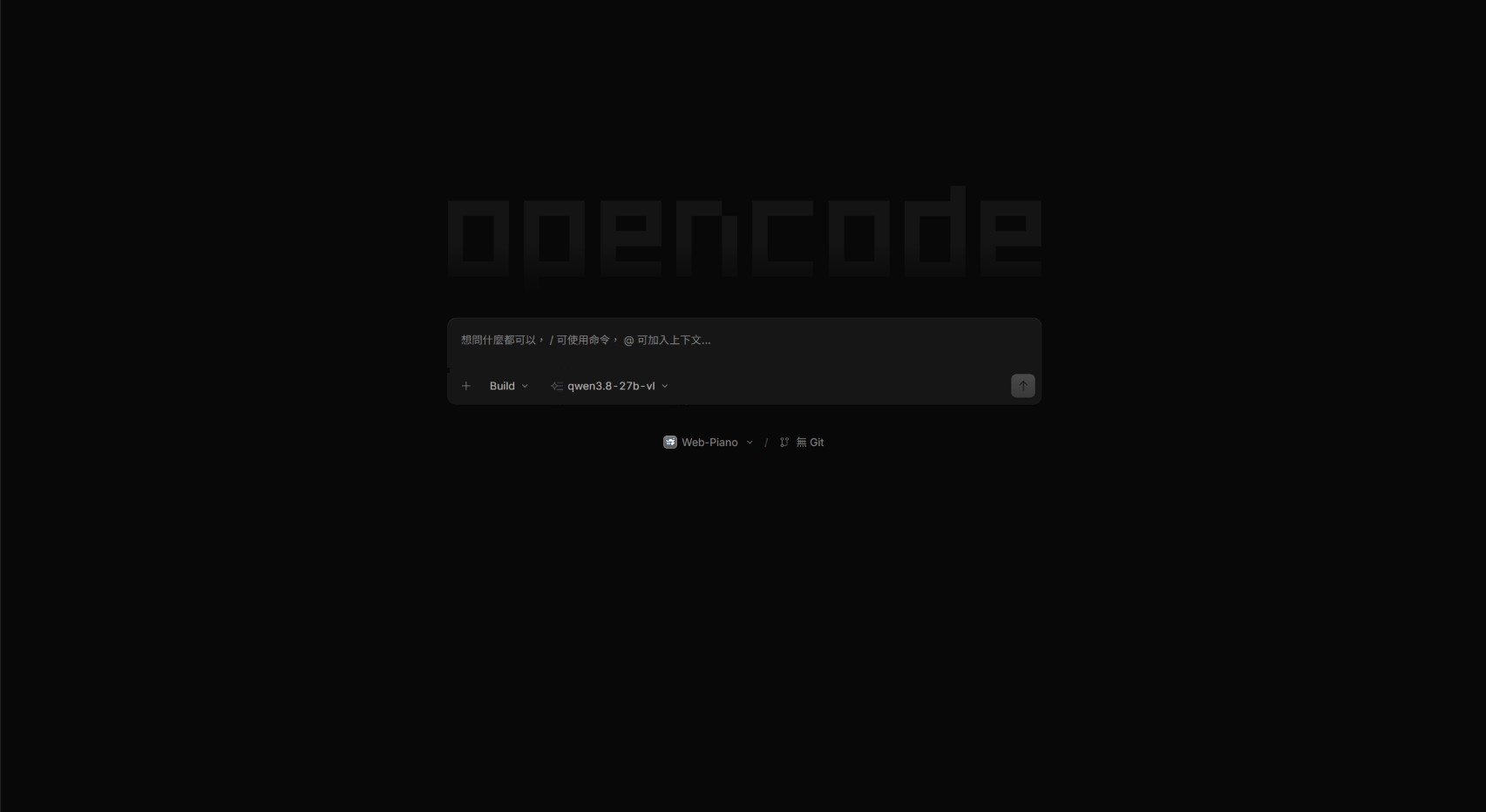
Controls on screen
- 1+ (tab bar)Starts a new session.
- 2Build ▾Switches between Plan and Build mode.
- 3qwen3.8-27b-vl ▾Model menu. With Armor EdgeAI serving the API, the actual model switch still happens inside the app.
- 4Web-Piano ▾The workspace folder — pick whatever suits how you organise files.
Step 05
The model plans first and waits for you
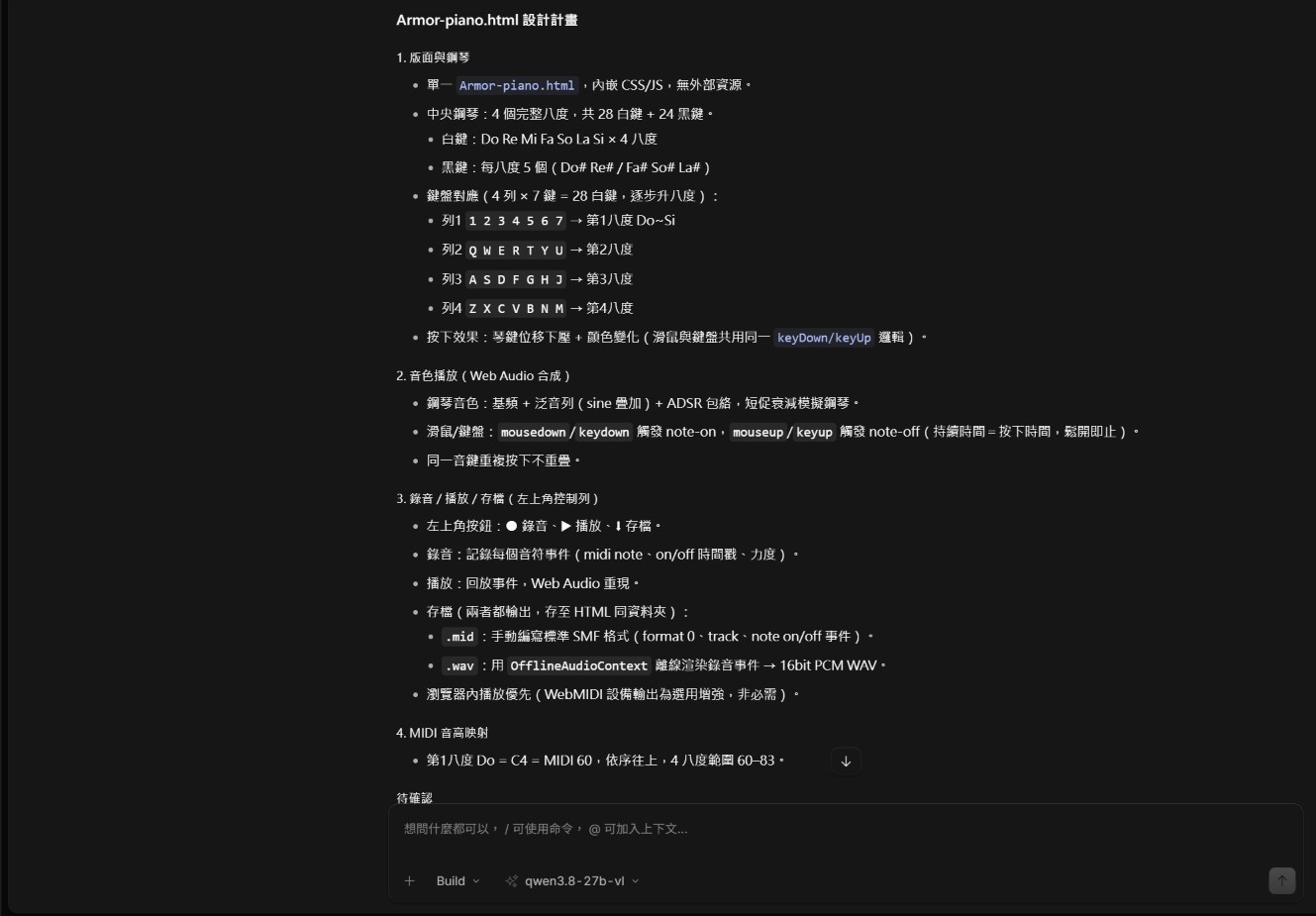
Because the prompt went out in Plan mode, the model first asked a few clarifying questions — sound synthesis and recording approach, output format, how to save — and only then produced a design plan and stopped for confirmation.
Once the plan looked right, switching to Build and confirming is what actually lets the agent start writing files.
Step 06
Build: an hour and a half of self-verification
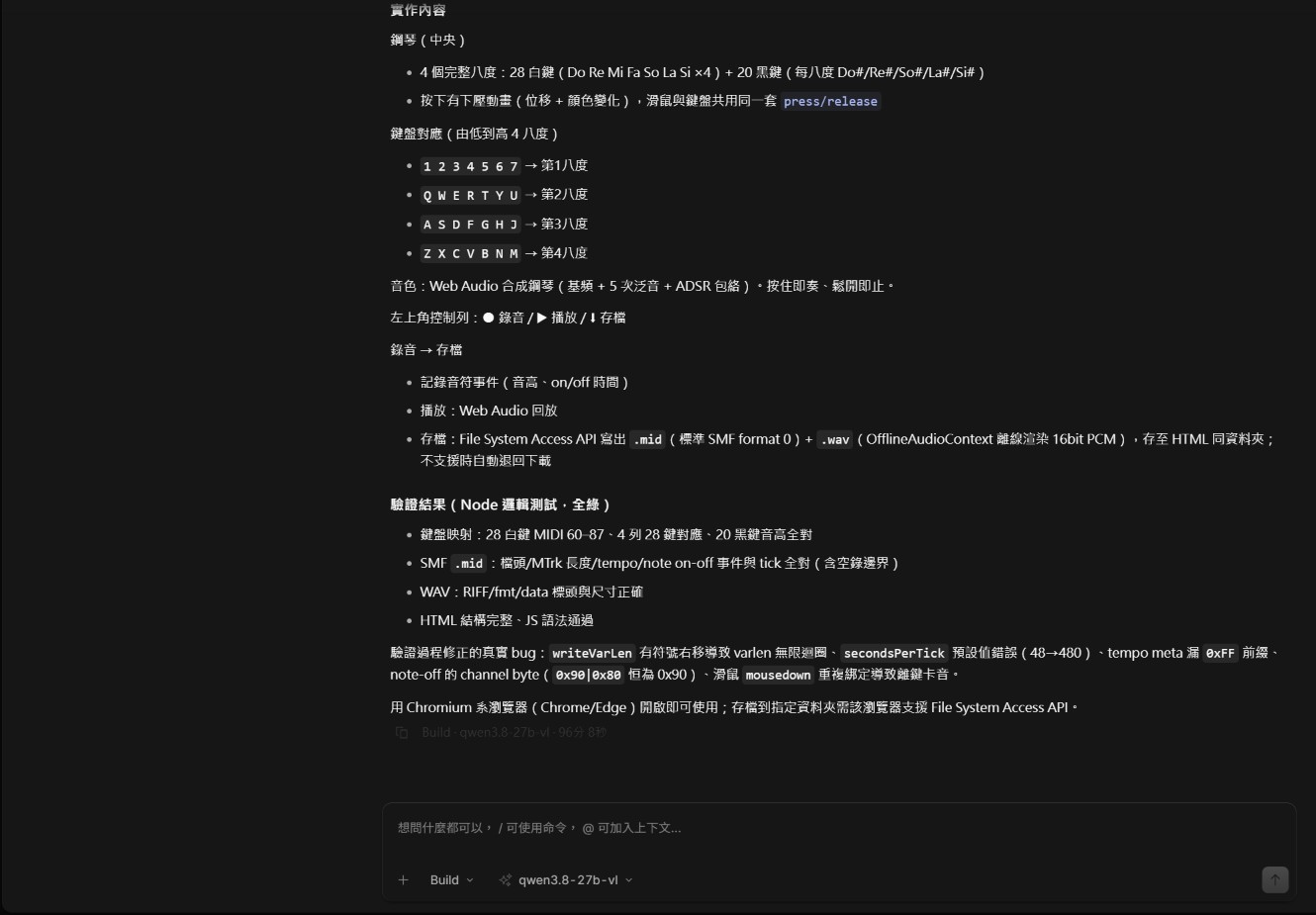
After writing Armor-piano.html, the agent noticed there was no browser automation available, so it wrote its own Node verification script to logic-test the MIDI encoder and WAV output — and fixed several real bugs along the way: a signed shift in the variable-length integer encoder, a missing prefix on the tempo event, a wrong channel byte on note-off, and a duplicated mouse binding that left keys stuck.
From prompt to finished file, OpenCode's timer read about 96 minutes. Other work was happening on the same machine throughout, so treat the figure as indicative.
Step 07
The result
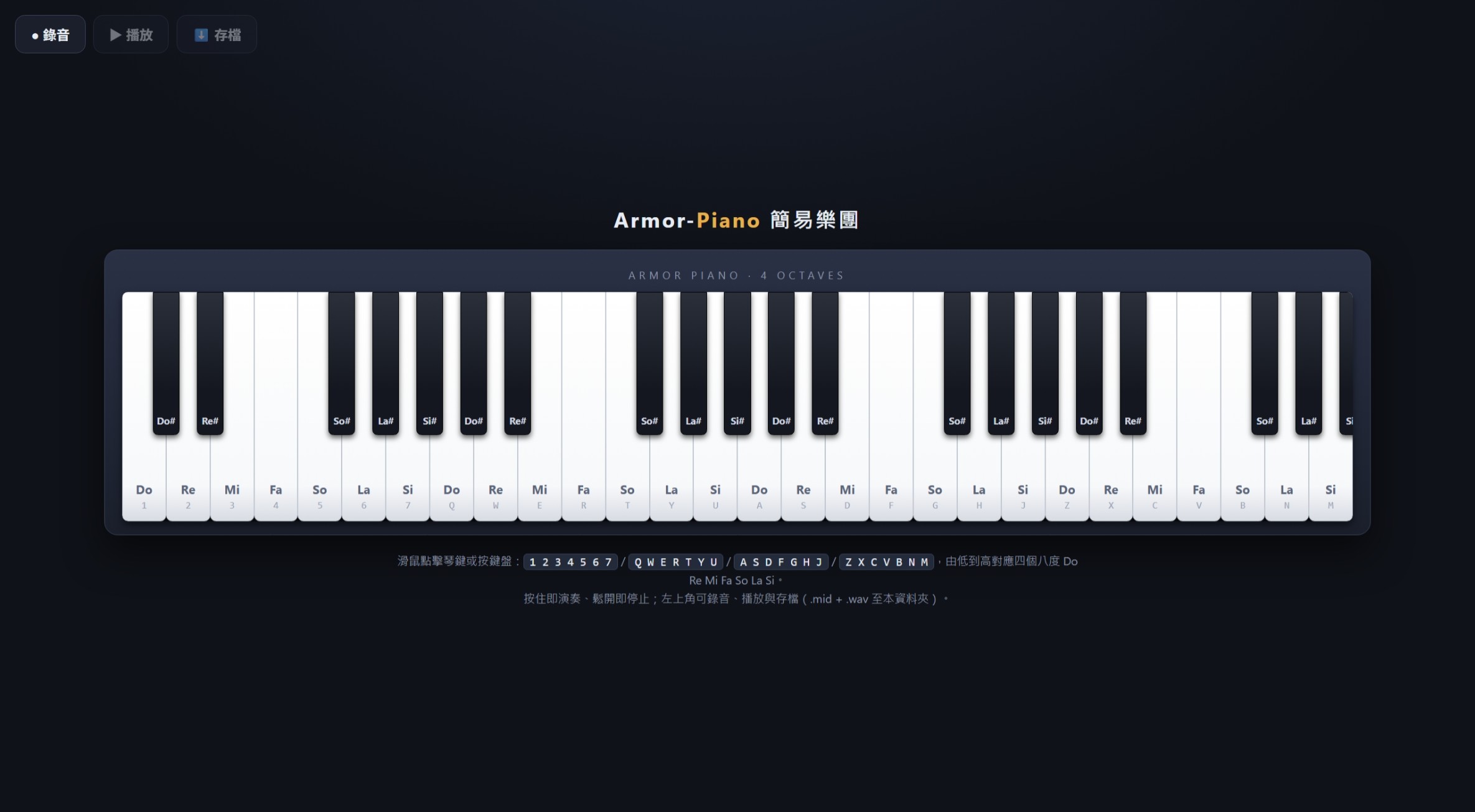
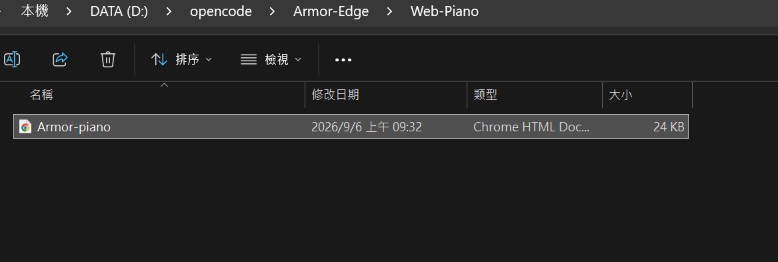
A clean 24 KB Armor-piano.html appeared in the workspace folder. Open it in Edge or Chrome — or try it right below.
Verdict
Test summary
What worked well
- The piano keys are rendered beautifully.
- Recording, playback and saving all work, and the MIDI and WAV export the spec asked for are both there.
- The task ran for about an hour and a half without incident — Armor EdgeAI's API held steady, and Qwen 3.8 27B carried a long agent task to completion.
Where it falls short
- The keyboard layout is not quite right — the number and placement of black keys are clearly off.
- Timbre and pitch are not fully accurate, though the seven notes from Do to Si are clearly distinguishable.
- Black keys do not spring back after being pressed; white keys are fine.
Against a cloud model
Given the same prompt in ChatGPT 5.6's chat mode, the HTML file was done in about 10 minutes, and its finish was slightly better than the local 27B model's. Both versions are below so you can compare for yourself.
Takeaway
Armor EdgeAI integrates cleanly with different AI agents and gets most development tasks done. When the result still has small bugs, go back to Plan mode and review, or hand the fix to a more capable cloud API when it is worth it — balancing cost, speed and quality.
And when the agent runs entirely on-premises, it can work on sensitive internal data — consolidating sales records into tables and analyses, translating customer correspondence, drafting business presentations — without any of it leaving for an outside cloud, which is exactly how the risk of leaks goes down.
Try It
Try it yourself
Both results are the original files, unmodified. Click the keys or use your keyboard to play.
Click a key once so keyboard input goes to the demo; both UIs are in Traditional Chinese.Open in a new tab ↗